5 Best Resume Builders for Career Changers (2026 Reviews)
Pivoting into a brand-new industry requires a completely different application blueprint than climbing the traditional linear ladder. The primary hurdle for a career switcher isn’t a lack of talent or intelligence—it is a positioning problem.
If you use a traditional resume builder that locks you into a strict reverse-chronological template (placing your most recent job titles at the very top), you risk immediate automated rejection. When a corporate recruiter in a tech field opens a resume and sees five years of retail management or classroom teaching at the apex, they often move on within six seconds.
To bridge this gap, you need the best resume builder for career changers. You need structural software that allows you to easily switch template layouts, drag skills summaries to the top, highlight transferable milestones, and cross-reference your drafts against target job descriptions.
We evaluated the leading platforms on the market based on design flexibility, AI language contextualization, keyword matching capabilities, and real-world value. Here is our definitive guide for 2026.
At a Glance: The Top Writing Tools for Pivoting Careers
If you need a reliable platform to immediately start re-architecting your professional brand, here is our quick editorial summary:
-
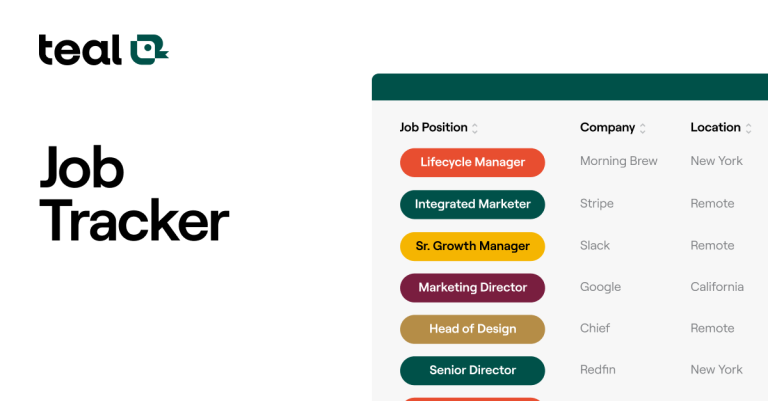
Best Overall Combo Platform: Teal (Offers modular drag-and-drop section shifting combined with a highly useful job tracker CRM).
-
Best 100% Free Option: Adobe Express (Outstanding for instantly converting an old chronological upload into a fresh modern format without a subscription).
-
Best for Smart Diagnostics: Novoresume (Features an excellent automated gap analysis tool to identify missing industry keywords).
-
Best for Mid-to-Senior Narratives: Enhancv (Provides recruiter-approved layouts built specifically for tailored personal storytelling).
The Reframe Dilemma: Why Standard Builders Fail Career Changers
Generic resume builders assume you want a linear progression within the exact same field. For a career pivot, this framework collapses for three reasons:
-
Rigid Section Locking: Most basic platforms permanently anchor your direct professional work history at the top of the page. Switchers need the option to put a “Summary of Qualifications” or a customized “Project Portfolio” first.
-
Literal Text Translation: Basic AI tools simply regurgitate past tasks. Career changers require software capable of translating industry-specific language (e.g., “managed hotel guest check-ins”) into universal business metrics (e.g., “optimized client retention and service delivery”).
-
ATS Match Blindness: When moving to a new domain, you don’t know the exact keyword variations corporate software screens for. You need a platform that actively scans your text against your new target description.
Deep-Dive Reviews: The 5 Best Resume Builders for Career Changers
1. Teal – Best Overall for Structural Flexibility & Job Tracking
Teal is the strongest choice for career pivoters because it treats your resume sections as movable blocks. Instead of locking you into standard formats, it gives you full layout control over how your experience is structured.
-
Who It Is Best For: Job seekers who want a hybrid layout where they can easily drag skills sections above their past employment timelines.
-
Main Strengths: The user experience is highly modern. Its Chrome extension lets you bookmark target listings from external job boards directly into a central hub. From there, Teal scores your current text against that specific job ad, telling you exactly which hard and soft skills are missing.
-
Important Limitations: While the underlying builder and tracking pipelines are free, advanced AI keyword matches require upgrading to the premium tier.
-
Pricing Context: Generous free plan forever with basic tracking and 11 minimalist templates. Teal+ premium unlocks unlimited AI bullet adjustments and advanced matching metrics for roughly $29 per month.
2. Adobe Express – Best Free AI-Powered Layout Re-architecting
For applicants who already possess a structured history and simply need to shift the aesthetic wrapper without monthly payment commitments, Adobe Express provides a powerful shortcut.
-
Who It Is Best For: Budget-conscious job changers who need to quickly spin up multiple distinct visual versions of their background.
-
Main Strengths: It offers an AI-powered resume processing engine that takes your old uploaded file and reformats the text into customized layouts within minutes. It is entirely free to download unlimited versions, and no upfront payment details are demanded.
-
Important Limitations: Adobe Express is fundamentally a visual design ecosystem; it lacks built-in career coaching metrics or automatic text optimizations for ATS filters.
-
Pricing Context: Dozens of professional templates and the primary layout conversion tools are completely free.
3. Novoresume – Best for Automatic Skill Gap Diagnostics
Novoresume excels at providing clear visual guidance, ensuring career pivoters include essential formatting rules without making accidental mistakes.
-
Who It Is Best For: Applicants transitioning into fields with highly specific hard skill demands, like tech, finance, or operations.
-
Main Strengths: It features a robust automated Skill Gap Analyzer tool. When you paste your target job specification into the diagnostic field, the builder runs a live script that lists the industry terms your text currently lacks.
-
Important Limitations: The free account restricts you to building just a single document and locks advanced custom section layouts behind the paid tier.
-
Pricing Context: Free basic operational tier available. Premium upgrades start around $19 per month for full design flexibility.
4. Enhancv – Best for Non-Traditional Formats & Storytelling
If you come from a non-traditional background—such as moving from the creative arts to corporate management—Enhancv provides the narrative space needed to tie your story together.
-
Who It Is Best For: Experienced professionals who need custom sections like “Most Proud Of” or “Core Philosophies” to highlight traits that simple work logs miss.
-
Main Strengths: The visual architecture is incredibly clean and modern. It explicitly supports functional and combination formats, allowing you to highlight projects over timelines. It also features a useful collaboration link tool so a career coach or peer can review and edit your draft right inside the system.
-
Important Limitations: The free evaluation window lasts only 7 days, meaning it doesn’t serve as a long-term, free dashboard for ongoing updates.
-
Pricing Context: Full access options start around $16.50 per month when billed on a semi-annual schedule.
5. Resume Worded – Best for Auditing Transferable Language
Resume Worded doesn’t just look at how your resume looks; it analyzes how your phrasing reads to both parsing systems and human eyes.
-
Who It Is Best For: Changers who have built a draft hybrid resume but want an audit of their phrasing choices before submitting it.
-
Main Strengths: It evaluates your past metrics baris-demi-baris (line-by-line). The platform flags weak passive verbs and notes whether your sentences emphasize day-to-day duties rather than broad, cross-functional business impact.
-
Important Limitations: The layout design interface is more rigid and less drag-and-drop friendly compared to tools like Teal or Enhancv.
-
Pricing Context: Free baseline grading index provided. Pro content expansion tiers are available from ~$19 per month on an annual plan.
Buying Guide: How to Pick Your Career Transition Software
To avoid wasting money or picking an interface that slows you down, weigh these distinct factors before committing to a platform:
-
Verify Template Adaptability: Ensure the builder allows you to switch between chronological, functional, and hybrid styles on the fly. If changing your mind forces you to delete your history and type it all again, avoid the platform.
-
The “Paywall Download” Trap: Many generic engines offer free editing but lock the download button behind hidden charges or recurring billing trials. Look for platforms with transparent free download alternatives, even if they limit you to classic layouts.
-
Data Security Guidelines: When switching fields, your application drafts will contain proprietary professional experience. Confirm the career tech suite utilizes secure APIs that shield your personal records from public AI training arrays.
The Human Side of the Pivot: How to Reframe Past Numbers
As an independent career researcher, I regularly see pivoters make the mistake of leaving their work history tied to old operational terms.
If you are a former restaurant general manager attempting to transition into a corporate Corporate Project Manager role, do not write: “Supervised floor staff, scheduled weekly shifts, and tracked food inventory kitchen counts.” That language signals to corporate recruiters that you belong exclusively in hospitality.
The Reframing Rule: Abstract your experience into universal business terminology. Translate that exact same history into: “Directed daily operations and workforce scheduling for a cross-functional team of 15, managed inventory logistics pipelines, and optimized resource allocation to slash operational waste by 12%.”
Use the writing assistants inside platforms like Teal or Enhancv to extract the core metrics from your past jobs and translate them into your new industry’s language.
Final Recommendation: Which Pivot Tool Wins?
-
If you need complete modular layout freedom to place skills above chronology while tracking 20+ active applications, choose Teal.
-
If you want to quickly see how your old text maps onto modern visual templates without any financial obligation, choose Adobe Express.
-
If you need step-by-step keyword grading to pinpoint terms you missed from new job descriptions, choose Novoresume.
Frequently Asked Questions (FAQ)
1. What is the safest resume layout for a career changer?
The Hybrid or Combination resume layout is the safest option. It places a rich summary of transferable skills and core projects across the top third of the document, while keeping a standard, compact chronological history at the bottom. This satisfies both human recruiters and parsing filters.
2. Should I list old, non-relevant job entries on my new resume?
Yes, you should still include them to avoid creating suspicious gaps in your timeline. However, you should drastically trim their bullet points. Reduce the description of completely unrelated roles to 1 or 2 lines focused entirely on universal traits like leadership, budgeting, or customer relations.
3. Do ATS filters automatically penalize career switchers?
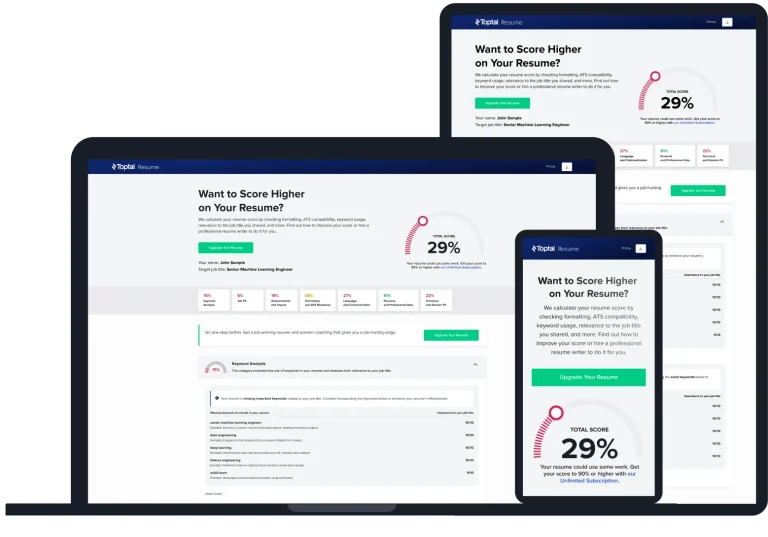
Sistem ATS does not actively penalize you for changing fields, but it will score you poorly if your text lacks the specific hard skills listed in the job description. That is why running a keyword check via specialized builders before submitting is essential.
4. Is a functional resume layout still recommended?
Pure functional layouts (which list skills without tying them to specific dates or companies) are generally risky today.