5 Best CRMs for Freelancers (2026 Reviews)
Running an independent freelance business means wearing every corporate hat simultaneously. On any given Tuesday, you aren’t just the creative designer, copywriter, or technical engineer—you are the head of marketing, the outbound sales representative, the project manager, and the accounting department.
When your client roster scales past three active accounts, managing this workload using text files and chaotic inbox searches becomes unsustainable. You inevitably misplace critical scope boundaries, forget to track billable hours, or let high-value prospective follow-ups slip through the cracks.
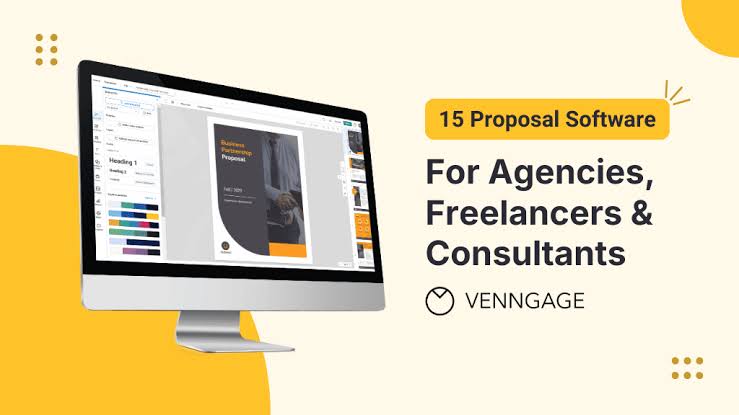
The best CRM for freelancers changes your solo business momentum by centralizing your entire client lifecycle. Instead of logging into five distinct applications, these specialized software packages tie your communication histories, custom proposals, legally binding contracts, active project timelines, and electronic payment links into a single, cohesive ecosystem.
We independently evaluated the top platform tools on the market based on workflow consolidation, client experience design, pricing transparency, and real-world solo business value. Here is our definitive guide for 2026.
Quick Answer: The Top Freelance CRMs Compared
If you are currently managing active negotiations and need to launch a professional client interface immediately, here is our high-level editorial summary:
-
Best Overall for Service Businesses: HoneyBook (The clear benchmark for beautiful, automated proposal-to-payment workflows).
-
Best for Visual Customization: Plutio (Outstanding for building custom dashboards and white-labeled client workspaces at an accessible price point).
-
Best Free Alternative: HubSpot Free CRM (Unmatched if you want pure pipeline scaling, database volume, and email logging tools without recurring fees).
-
Best for Outbound Selling: Pipedrive (The ultimate visual Kanban deal tracking engine for consultants managing extensive outreach).
The Administrative Trap: Why Traditional Sales CRMs Fail Solo Freelancers
Many freelancers naturally turn to dominant enterprise software platforms like Salesforce or high-tier HubSpot models because they are famous. However, traditional sales CRMs are engineered for corporate teams, not solo independent service operators.
Traditional software tracks a deal exclusively until the contract is signed, treating the opportunity as “Won” and ending the sales pipeline lifecycle. But for a freelancer, the signature is where the hard manual labor begins.
If your core client record disconnects from your delivery tools, you are forced to run a fractured, multi-app loop:
-
App 1: A spreadsheet tracker to manage inbound inquiries.
-
App 2: A standalone proposal tool to pitch your project terms.
-
App 3: An e-signature application to lock down scopes.
-
App 4: A time tracker to clock billable hours.
-
App 5: An invoicing processor to collect cash.
This fragmentation creates a massive administrative time sink, adding hours of invisible administrative work per week. Freelancers need an operational framework where their data flows smoothly: a lead accepts a pitch, which instantly locks a contract, opens a project workspace, and schedules automatic invoice alerts.
In-Depth Reviews: The 5 Best CRMs for Freelancers
1. HoneyBook – Best Overall for End-to-End Client Lifecycle Mastery
HoneyBook is the strongest “run-the-business” application for service professionals. It focuses less on dry analytical data modeling and more on providing an exceptionally polished, premium brand presentation for your prospective clients.
-
Who It Is Best For: Creative directors, digital designers, copywriters, and consultants who bundle their labor into highly professional service packages and retainers.
-
Main Strengths: Their integrated file structure is unmatched. Instead of sending a distinct document for every stage of a negotiation, HoneyBook wraps your proposals, agreements, e-signatures, and payment terms into a single, cohesive file format. It includes beautiful automation templates, built-in scheduling links, and native payment processing options that support automatic recurring billing.
-
Important Limitations: It lacks deep visual database filtering options or technical developer integrations compared to pure sales pipelines.
-
Pricing Context: Plans start around $29 per month when billed on an annual structure, offering high return on investment by consolidating multiple independent tools.
2. Plutio – Best Low-Cost, Highly Custom All-in-One Workspace
If you want absolute control over the visual branding, domain properties, and operational parameters of your client portal, Plutio offers incredible modular flexibility.
-
Who It Is Best For: Tech-savvy freelancers, development consultants, and agency operators who require a white-labeled dashboard that matches their precise brand identity.
-
Main Strengths: Plutio allows you to run your complete client business under a custom white-labeled web address using your own logo and custom design styles. The client portal architecture lets users review project metrics, download current invoice statements, track open task checklists, and communicate through an integrated platform inbox.
-
Important Limitations: The expansive array of customizable options can create a step learning curve during your initial account configuration.
-
Pricing Context: Highly cost-effective solo tier plans start around $19 per month, making it a very accessible all-in-one option.
3. HubSpot Free CRM – Best Scalable Foundation for Inbound Sales
For early-stage freelancers whose primary objective is tracking hundreds of inbound conversations without spending money, HubSpot’s baseline free framework remains highly effective.
-
Who It Is Best For: Freelancers managing high-volume incoming leads who plan to eventually scale into a larger agency model.
-
Main Strengths: A truly comprehensive free tier with no contact cap limits. It automatically records and logs your client email chains (via secure Google Workspace or Outlook hooks), provides native form builders for lead capture, and hosts robust meeting-scheduler tools.
-
Important Limitations: The free platform completely lacks internal proposal creation, custom freelancer contract builders, time tracking modules, or native invoice processors.
-
Pricing Context: 100% free baseline tier. However, be highly aware that moving into their advanced, paid corporate automation expansion packs gets expensive quickly.
4. Pipedrive – Best Visual Pipeline Control for Outbound Outreach
If your freelance income relies on active pitching, continuous cold email outreach, and strict outbound pipeline discipline, Pipedrive is engineered specifically to manage that deal volume.
-
Who It Is Best For: High-ticket business-to-business (B2B) consultants and freelance sales specialists whose main challenge is tracking multiple complex negotiations.
-
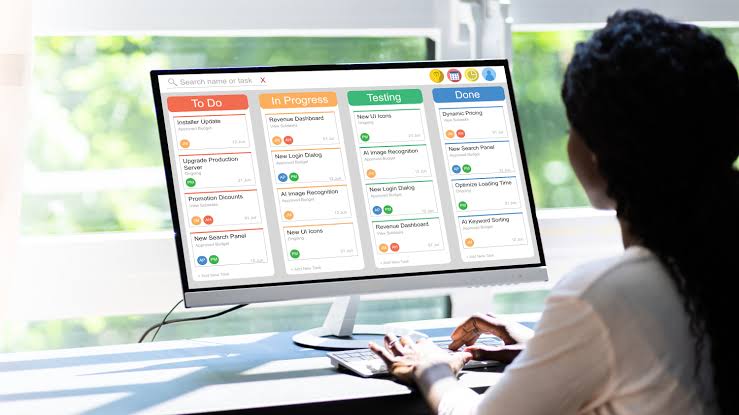
Main Strengths: The cleanest, most effective multi-column Kanban deal tracking layout in the software industry. The system calculates real-time velocity metrics and automatically highlights stale accounts that haven’t received a follow-up action within your target intervals.
-
Important Limitations: Like HubSpot, Pipedrive is structured as a dedicated sales platform, meaning it doesn’t host native bookkeeping tools or integrated proposal builders on its basic levels.
-
Pricing Context: Entry-level Essential plans begin at an affordable price point of approximately $14 per month when billed annually.
5. Moxie – Best Streamlined Budget Option for Solo Operators
Moxie was built explicitly for independent creators, stripping away enterprise clutter to deliver an intuitive, affordable baseline platform.
-
Who It Is Best For: Solo writers, virtual assistants, and independent practitioners who want broad feature coverage without paying premium platform fees.
-
Main Strengths: It packs a remarkably comprehensive feature list into a highly accessible layout. Moxie handles basic lead collection pipelines, converts time logs into invoices, hosts streamlined client portals, and provides simple contract parameters for minimal administrative friction.
-
Important Limitations: The statistical reporting frameworks and high-level marketing analytics are light compared to mature dedicated platforms.
-
Pricing Context: Highly solo-friendly structures, sitting at an absolute flat rate of roughly $10 per month on an annual plan.
Buying Guide: How to Select the Ideal Client System for Your Workflow
To avoid overpaying or implementing an interface that introduces unnecessary administrative friction, map your choice to your specific business shape:
-
Consolidation vs. Depth: If your highest priority is reducing software bloat and keeping your workflow in one tab, choose an all-in-one app built for independent professionals (HoneyBook, Plutio or Moxie). If you already run your finances inside premium standalone software like QuickBooks or FreshBooks, prioritize a dedicated, pure pipeline matcher tool (Pipedrive or HubSpot Free).
-
The Client Experience Touchpoint: Review how the platform looks to the person paying your invoices. If your target client base consists of elite corporate executives, send clean, minimalist digital portfolios. If you target creative startups, prioritize dynamic visual layouts.
-
Data Portability Protection: Ensure the software tool allows you to export your entire compiled client interaction database into standard CSV formats at any moment. Your relationship record history is a core business asset you must own completely.
The Financial Reality: Measuring the Real ROI of Your CRM Stack
As an experienced career researcher, I must offer a direct warning regarding tool optimization: A CRM cannot scale your revenue if you lack evidence of clear professional capability.
Spending money on an elite subscription plan won’t automatically close accounts if your core services are poorly articulated. However, once you establish basic validation, the calculation shifts completely to time leverage.
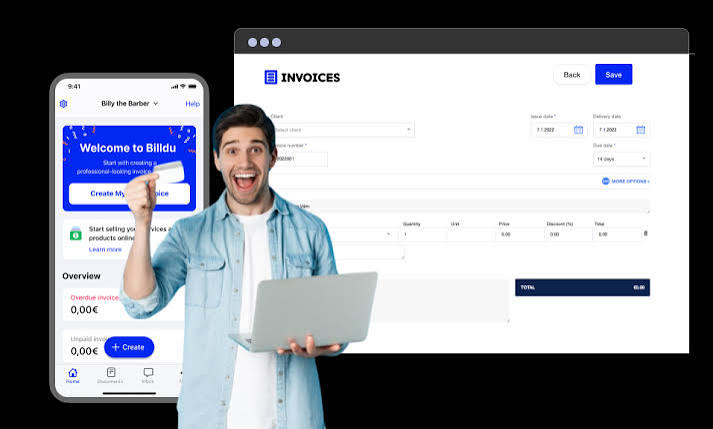
If paying $25 a month for an integrated platform like HoneyBook or Plutio eliminates just one hour of manual invoicing, copy-pasting contract forms, or chasing down missing deposits every month, the tool completely pays for itself. It frees your energy to focus on high-value billable production.
The Expert Blueprint: Use the integrated proposal and document matching templates inside specialized software to create consistency. When a returning lead matches your target criteria, you should be able to generate a custom contract and invoice path in under 5 minutes.
Final Verdict: Which Freelancer CRM Earns the Crown?
-
If you want the most beautiful, streamlined lifecycle integration covering elite smart proposals, digital signatures, and automated invoicing, choose HoneyBook.
-
If you require deep custom dashboard flexibility alongside an affordable, white-labeled client portal space, choose Plutio.
-
If your solo business relies strictly on high-volume outbound pitching and visual deal tracking pipelines, choose Pipedrive.
Frequently Asked Questions (FAQ)
1. Is my data safe if I process client payments through a freelance CRM?
Yes. Top-tier platforms do not store sensitive credit card data directly on their servers. Instead, they use encrypted API tokens to connect your client payments to secure global processors like Stripe, PayPal, or Square, ensuring full compliance with international digital transaction standards.
2. Can a freelance CRM help with my local business accounting and taxes?
Platforms like Plutio and HoneyBook provide baseline financial logging charts, track unpaid balances, and generate clear income reports. However, they do not function as full tax engines. For complex deductions, local business structures, or year-end filings, integrate your tool with software like QuickBooks or export reports for your accountant.
3. What is the difference between a traditional CRM and a project management tool?
A pure CRM focuses on the financial relationship layer: managing sales pipelines, handling documentation, tracking contract executions, and collecting invoicing payments. A project management tool (like Asana or Trello) tracks the internal delivery mechanics: mapping milestones, setting sub-task dependencies, and managing files. Many modern freelancer tools now blend both functionalities.
4. How long does it typically take to configure an all-in-one CRM?
Setting up a comprehensive environment usually requires 2 to 5 hours of dedicated focus. The majority of this window involves configuring your bank links, uploading branding parameters, adjusting standard hourly billing structures, and inputting your foundational service contract templates.